Phone Speaker Crackling? How to Find the Cause
Phone speaker crackling usually has a cause you can check at home. Match when it crackles to a 1-minute test, then fix it or book a repair.
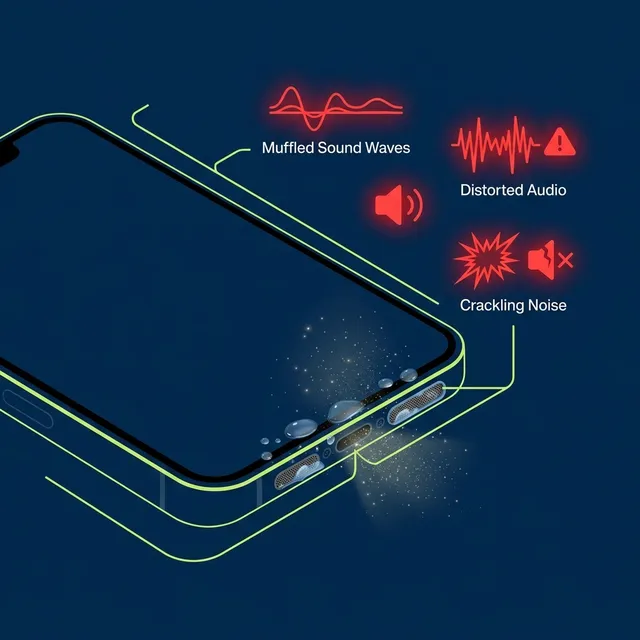
You can check most causes of phone speaker crackling at home before you book a repair. The pattern of when it crackles points to the cause: only on calls, only in one app, only at full volume, after water, or all the time. Match your pattern, run its 1-minute test, then fix it.
Crackling, static or muffled: which one is it?
Crackling and static are extra noise on top of the sound: pops, fizz, rattle or a harsh buzz that isn’t in the recording. Muffled sound is the opposite problem, because something takes sound away and audio turns dull and quiet.
Apple’s speaker troubleshooting article treats “crackling” and “static” as one problem. Muffling has its own causes, covered in the muffled phone speaker guide. Pocket lint can rattle as well as muffle, so if you hear both, start there. No sound at all is a different fault: see phone speaker not working.
When does it crackle?
When your phone speaker crackles tells you more than how it sounds. Find the row that matches your phone, run the test in the third column, and follow the last column.
| When it crackles | Likely cause | 1-minute test | What to do next |
|---|---|---|---|
| Only on calls | Network or reception, or the earpiece | Make a speakerphone call from another place | Crackles on speakerphone too: try later or move. Earpiece only: run the call speaker cleaner |
| In one app only, such as music but not videos or ringtones | That app’s equaliser or the file itself | Turn off the app’s equaliser, then play a sine tone on the online tone generator | Clean tone and clean ringtone: the app is the cause, not the speaker |
| Everywhere, starting after an update or a new app | Software or a downloaded app | Restart, then test a Samsung in Safe mode | Clean in Safe mode: uninstall recent apps one at a time |
| Only near full volume | Overdriving (playing louder than the speaker can handle cleanly) or a worn speaker | Play one sine pitch and lower the volume a step at a time. Note where the crackle stops | Stops once you turn down: keep the volume below that point. Still crackles quietly: see the last row |
| After water, a flight or a drive into the hills | Water on the speaker or a change in air pressure | Lay the phone speaker side down on a lint-free cloth and look for drips | Water: drain and dry it. Pressure on a Samsung: wait, or use the SIM-tray step |
| From one speaker only | That speaker | Run the left and right speaker test | One side crackles at low volume: book a repair |
| At low volume too, on every source, on several days, after cleaning | A damaged speaker | Drag a quiet sine tone through the tone generator | Get it serviced. No tone or app fixes it |
Test the speaker without app sound effects
To test a phone speaker without app sound effects, play a plain sine tone in your browser with the phone’s equaliser and Dolby Atmos switched off. A sine is a single pure tone. Any crackle or buzz on top of it comes from the speaker or the phone’s own settings. No music app’s equaliser sits in the path.
The whole check takes about a minute:
- Turn off Dolby Atmos and the phone’s equaliser first. The menu paths are in the next section.
- Open the tone generator. Sine is already selected. Set its volume slider low.
- Press play and drag the frequency slider slowly from about 100 Hz up to about 10 kHz. Listen for anything riding on top of the tone.
- Raise the volume to medium and drag the slider back down.
- Open the speaker test and play the guided sequence. It plays left, then right, then both, so you hear which side crackles.
The tone generator doesn’t sweep on its own or judge the sound. You move the slider and you listen. Stay below 10 kHz, because higher tones can be uncomfortable. If the tone stays clean at low and medium volume, the speaker is probably fine. The crackle then comes from an app, a setting or the file.
Turn off equalisers and sound effects
To turn off equalisers on your phone, switch off each layer in turn: the music app’s equaliser, then the phone’s. A boosted preset makes some sounds louder than the original, and at high volume that can tip a small speaker into crackling.
- On iPhone, the Apple Music equaliser is in Settings > Apps > Music > EQ. Set it to Off. Sound Check lives on the same screen, and both apply to the Music app only.
- In Spotify, tap your profile picture, then Settings and privacy > Playback > Equalizer, and turn it off. On Android it sits under Listening controls. Spotify notes that on Android phones with a built-in equaliser, changes in Spotify also affect other apps.
- On a Samsung Galaxy, go to Settings > Sounds and vibration > Sound quality and effects. Set Equalizer to Normal and turn off Adapt sound. Dolby Atmos has its own tile in Quick settings, and a long press opens its modes.
Samsung says screens vary by carrier and software version. Once everything is off, replay the track that crackled.
Crackling after water or a change in air pressure
Crackling right after a splash points to water still sitting on the speaker, which makes it sputter. Apple says water might degrade speaker or microphone performance until it completely evaporates.
Apple gives this drip check for a wet iPhone:
- Lay the phone speaker side down on a lint-free cloth and see if water drips out.
- Hold it with the charging port facing down and tap it gently against your hand.
- Leave it to dry somewhere with moving air. Don’t use a hair dryer or other external heat.
Then play the water eject tone with the speaker facing down. If the phone went fully under, follow the steps for a phone dropped in water before anything else.
Air pressure can cause the same sound with no water at all. Samsung says its speakers may sound quiet, crackly or distorted after a large change in air pressure, such as a flight. The cause is the phone’s water-resistance features. It usually evens out on its own. To speed it up, Samsung suggests sliding the SIM tray out about halfway, then closing it.
Crackling only on calls
If your phone crackles only on calls, make a speakerphone call first. Apple says that if you still hear static or crackling on speakerphone, your network or reception could be the issue. Try again later or from another location.
If speakerphone sounds clean in a good-signal spot but the earpiece crackles on every call, the earpiece is the likely cause. Clear it with the call speaker cleaner before you suspect hardware.
Restart, update and check apps
To rule out software, restart the phone, install any waiting update, and on a Samsung test it in Safe mode. Work through these in order:
- Remove anything plugged into the phone, plus third-party cases, films and skins. Turn Bluetooth off.
- Restart the phone. Samsung suggests waiting 30 seconds before you power it back on.
- On a Samsung, update through Settings > Software update > Download and install.
- Start Safe mode. Hold the Power button (or tap the power icon in Quick settings), then touch and hold Power off and tap Safe mode. “Safe mode” then shows at the bottom of the screen.
- Play the same audio. If the crackle is gone, a downloaded app is the cause. Uninstall recent apps one at a time, then restart to leave Safe mode.
- Run the speaker diagnostics in Samsung Members, under the Support tab.
Updates can bring the problem on, too. One Galaxy S25 Ultra owner reported bottom-speaker crackling hours after an overnight update, and Samsung’s community manager advised these same steps, then service.
What not to do
Compressed air, alcohol in the grille and pins all go against Apple’s cleaning guidance, and Samsung also tells you to avoid compressed air. Some guides online still recommend them.
- Don’t blow compressed air into the speaker. Apple says not to use it on any current iPhone, and Samsung’s speaker troubleshooting tells you to avoid it.
- Don’t put alcohol in the grille. Apple allows alcohol wipes on exterior surfaces only, and says to keep moisture out of openings.
- Don’t push a pin, needle or cotton swab into the openings. Apple’s tool for the speaker opening is a small, soft, clean, dry brush. Its wet-phone guide rules out cotton swabs and paper towels in the port.
For lint, play the speaker dust cleaning sound and brush the grille gently with a soft, dry brush. If you can’t tell whether it is water or lint, the Start Cleaning mode on Fix My Speaker plays both in one cycle.
How to tell if your phone speaker is blown
A phone speaker is likely blown (damaged) when it crackles at low volume as well as high, on every source, even after every other check here. Look for these signs:
- The crackle is there at low volume, not only near full volume.
- A plain sine tone, a ringtone, a video and music all crackle the same way.
- Cleaning, drying, turning off equalisers and Safe mode make no difference, tested on different days.
- One speaker crackles or goes silent on the left and right test while the other sounds clean.
Crackling only on calls, in one app, at full volume, or after water or a flight points to another cause from the table. No tone, app or cleaning cycle can repair a damaged speaker, so once these signs line up, book a repair.
When to get it repaired
Get your phone speaker repaired when the blown signs above line up, or when the maker’s own checks fail. Run those checks first, because they also catch settings that silence a working speaker.
On iPhone, Apple’s checklist is:
- Turn off Silent mode and Do Not Disturb (Settings > Focus).
- Remove any screen protector, film or case.
- Check the speaker and receiver (earpiece) openings, and clean them with a small, soft, dry brush.
- Go to Settings > Sounds & Haptics and drag the Ringtone and Alerts slider. If you hear no sound, or the slider’s speaker button is dimmed, Apple says your iPhone may need service.
On a Samsung, run the Samsung Members diagnostics. Samsung lists a factory reset as the last step before a service centre. Back up first, because a reset erases the phone.
Last checked: November 2026.
Frequently asked
How do I fix a crackly phone speaker?
To fix a crackly phone speaker, match the fix to when it crackles. Turn off app and phone equalisers, restart, and install any update. If it started after water, lay the phone speaker side down on a cloth to drain, then play a water eject tone. If it crackles only on calls, try speakerphone somewhere else. Crackling at low volume on every source needs a repair.
Why is my phone making a crackling sound?
Your phone crackles because something adds noise on top of the sound. The usual suspects are an equaliser pushed hard at high volume, water still on the speaker, a recent change in air pressure, a weak call signal, an app that misbehaves after an update, or a damaged speaker. When it crackles tells you which one to test first.
Why does my phone speaker sound like static?
Static that shows up only on calls can come from the network rather than the speaker. Apple says that if you still hear static or crackling on a speakerphone call, your network or reception could be the issue, so try again later or from another place. Static on music, videos and ringtones points to the speaker, a sound setting or water instead.
How do I tell if my phone speaker is blown?
A blown phone speaker crackles at low volume as well as high, on every source, including a plain sine tone from a tone generator. The crackle stays after cleaning, drying and turning off equalisers, on several different days. If only one side does this on a left and right speaker test, that side is damaged. No sound file can repair it.