Muffled Phone Speaker? 7 Causes and Fixes
Work through the seven real causes of a muffled phone speaker in order — from pocket lint and trapped water to equalisers and a blown driver.
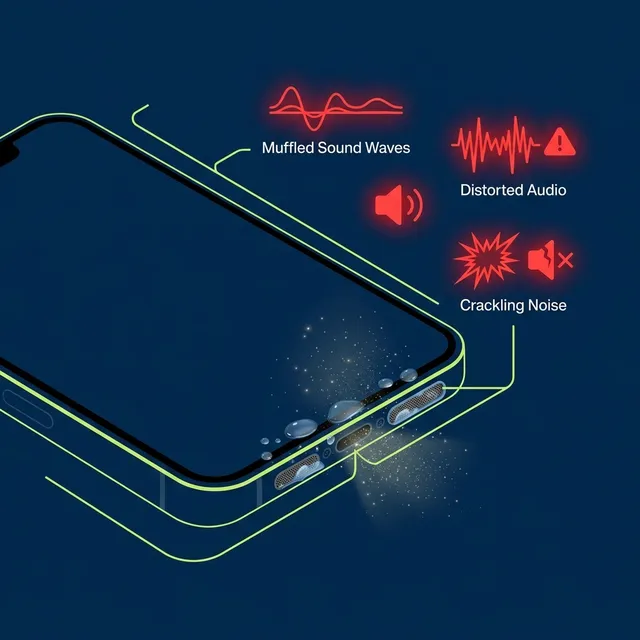
A muffled phone speaker is almost always a blocked grille rather than a broken speaker. Pocket lint and trapped water account for most cases, and both clear in under two minutes. Work through the seven causes in order — the cheap ones are also the common ones.
A muffled phone speaker sounds like audio playing through a blanket: the treble disappears first, voices lose definition, and volume seems lower even at maximum. In most cases this is a physical blockage in the speaker grille, not a hardware failure — which is good news, because a blockage is something you can clear yourself in about a minute.
Work through these seven causes in order. They are ranked by how often they turn out to be the actual problem, so the first two will resolve the large majority of cases.
1. Pocket lint packed into the grille
This is the single most common cause, and it is almost always the answer when the muffling appeared gradually over weeks or months rather than suddenly.
Speaker grilles are fine metal mesh with openings measured in fractions of a millimetre. Every day your phone spends in a trouser pocket, textile fibres work into those openings. The mesh acts as a low-pass filter as it clogs — high frequencies are absorbed first, which is exactly why the symptom presents as a loss of clarity before a loss of volume.
Fix: Run a high-frequency sweep. The speaker cleaner sweeps 8 kHz to 16 kHz, which produces rapid micro-oscillations that break the weak adhesion between dry fibres and the metal mesh. Follow with a dry soft-bristled brush, sweeping side to side rather than pressing inward.
2. Trapped water
If the muffling appeared suddenly, and anywhere near a bathroom, kitchen, pool or rainstorm, this is your cause. Water is held against the speaker diaphragm by surface tension and physically damps its movement.
Fix: Run the 165 Hz water ejection tone with the speaker facing downward. Low frequencies produce the largest diaphragm excursion, which is what generates enough pressure to break surface tension. Do this before the water has time to evaporate and leave mineral deposits behind.
Do not reach for rice. It absorbs ambient humidity far too slowly to help water already sitting inside a cavity, and the 24–48 hours you spend waiting is time the water spends in contact with the voice coil contacts.
3. A case covering the speaker outlet
Obvious once you check it, and easy to miss. Thick protective cases, wallet folios and cases fitted slightly off-centre can partially cover the bottom grille. Some cases have a cutout that lines up with the microphone rather than the speaker.
Fix: Take the case off and play the same audio. If it sounds normal, the case is the problem.
4. A software equaliser or audio preset
Every major Android skin and most media apps ship with audio processing enabled by default. Dolby Atmos, Samsung’s Adapt Sound, Oppo’s Real Original Sound and Spotify’s own equaliser all reshape the frequency response. A preset that rolls off the high end sounds identical to a partially blocked grille.
Fix: Turn off every equaliser and audio enhancement, then test again with a plain tone from the tone generator. On Samsung the controls are under Settings, then Sound quality and effects — tapped twice — where Dolby Atmos, the Equalizer and Adapt Sound all live. On Oppo, Dolby Atmos sits under Settings, Sound & vibration, and on much of the range it cannot be switched off at all.
5. Audio routed to another device
Phones reconnect to paired Bluetooth devices silently and aggressively. Audio playing through a car system two rooms away, or through earbuds sitting in a bag, presents as a phone speaker that has gone quiet or thin.
Fix: Turn Bluetooth off entirely — not just disconnect — and test again.
6. The wrong speaker is blocked
Most modern phones have two audio outlets: the main loudspeaker on the bottom edge, and the earpiece speaker in the slot above the display. The earpiece handles call audio and usually doubles as one half of the stereo pair.
This matters for diagnosis. If calls sound muffled but music is fine, the earpiece slot is blocked, not the bottom grille. If music sounds thin and one-sided but calls are fine, it is the reverse.
Fix: Run a left/right speaker test to identify which channel is affected, then clean that specific outlet with the phone oriented so the blocked opening faces downward.
7. A genuinely damaged driver
Only after ruling out the six causes above should you conclude the speaker itself has failed. Signs that point this way:
- Distortion or crackling present at low volume as well as high
- No improvement after several cleaning cycles across multiple days
- A rattling buzz that tracks with bass content specifically
- Complete silence from one outlet while the other works normally
Fix: This is a hardware repair. No acoustic tool can restore a torn diaphragm or a burnt voice coil, and any site claiming otherwise is overselling. Depending on your device this is usually a modest parts-and-labour job at an authorised repair centre.
A note on diagnosis order
Work through these in sequence rather than jumping to the most dramatic explanation, because the cheap causes are also the ordinary ones. Lint and water are both free to rule out in under two minutes, and a case or an equaliser preset takes seconds. A damaged driver is the last thing to conclude, not the first.
Start with the free speaker cleaning tool, rule out the software causes, and only then consider a repair. If you want the frequency your own handset responds to best, measure it first.
Sources
- Samsung: Use Dolby Atmos and other audio features on your Galaxy phone
- Apple Support: If you see a liquid-detection alert on your iPhone
Last verified July 2026.
Frequently asked
Why does my phone speaker sound muffled all of a sudden?
Sudden muffling almost always means water. Something splashed, rained on, or steamed the phone, and liquid is now damping the diaphragm. Run a 165 Hz cycle with the speaker facing the floor before the water evaporates and leaves mineral deposits behind.
Why has my phone speaker got quieter over months?
That pattern is pocket lint, not water. Textile fibres pack into the grille mesh gradually, and a clogging mesh absorbs high frequencies first. That is why it registers as lost clarity before lost volume. Use the high-frequency dust sweep rather than the water tone.
How do I know if my speaker is blocked or blown?
A blocked speaker is quieter but still clean. A blown one distorts or crackles at low volume as well as high. If cleaning changes nothing across several attempts on different days and distortion is present quietly, the driver is damaged.
Can a phone case make the speaker sound muffled?
Yes, and it is the easiest cause to rule out. Thick cases, wallet folios and cases seated slightly off-centre can cover part of the bottom grille. Some have a cutout aligned to the microphone rather than the speaker. Remove it and play the same audio.
Why do my calls sound muffled but music is fine?
Different outlet. Call audio goes through the earpiece slot above the display; music goes through the bottom loudspeaker. If only calls are affected, the earpiece is blocked, and cleaning the bottom grille will not touch it. Clean the earpiece slot with the phone upright and the screen facing down over a cloth, so anything dislodged falls clear instead of dropping back into the mesh.